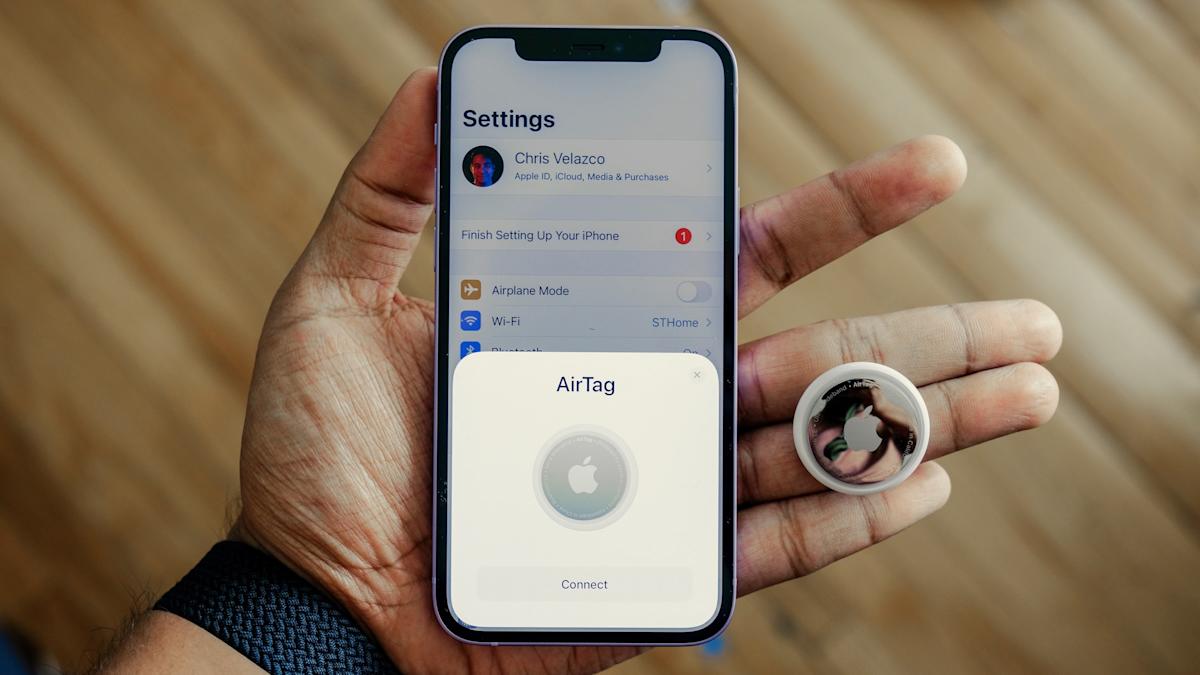
Think back to 2021 for a second. It feels like a lifetime ago, doesn’t it? That was the year Apple dropped the AirTag, and honestly, we were all kind of obsessed. The pitch was perfect: never lose your keys, your wallet, or your luggage ever again. It felt like one of those “the future is finally here” moments. But let’s be real—that honeymoon phase was incredibly short-lived. It didn’t take long for the narrative to flip. Within months, the headlines weren’t about finding lost backpacks; they were about digital stalking, hidden trackers in car bumpers, and a growing sense of technological unease. It was a mess, plain and simple.
I’ve been following this since the jump, and it’s been a wild ride. Engadget—which, if you don’t know, is basically the gold standard for obsessive daily gadget coverage—has been tracking this evolution from the very first “ping.” They’ve documented the whole trajectory: how Apple initially went into a defensive crouch, then slowly realized they had a responsibility to lead, and finally started pushing for the kind of privacy standards that, in hindsight, really should have been there from day one. It’s been a lesson in “move fast and break things,” except the things being broken were people’s sense of safety.
Now that we’ve blinked and ended up in early 2026, the landscape is unrecognizable compared to those early days. We aren’t just talking about Apple anymore, and that’s a good thing. The industry finally grew up. We’ve moved past the era where your personal safety depended entirely on which brand of phone you happened to have in your pocket. It’s been a long, sometimes frustrating road, but the cross-platform alerts we take for granted today have fundamentally changed the “cat-and-mouse” game of unwanted tracking. But here’s the thing I keep coming back to: technology is only ever as good as the person using it—and, more importantly, the settings they’ve actually bothered to toggle on while they were half-asleep on the couch.
The Great Peace Treaty: When Apple and Google Finally Realized Safety Trumps Competition
For a few years there, we were living in this bizarre, fragmented reality. It was essentially a digital caste system for safety. If you were an iPhone user, you had a decent shot at finding a rogue AirTag. But if you were on Android? You were basically shouting into the void. Sure, Apple eventually released a “Tracker Detect” app for Android, but let’s be honest—it was clunky, it didn’t run in the background, and nobody actually used it unless they already suspected they were being followed. It was a massive, glaring security hole that bad actors were all too happy to exploit. It felt like the tech giants were playing games with our lives just to protect their walled gardens.
But then 2024 happened, and it changed everything. In a move that surprised a lot of us, Apple and Google finally put aside their perpetual cold war to create a joint industry standard for tracking alerts. It was a watershed moment for consumer safety—the kind of thing you don’t see often in the tech world. They realized that a stalker doesn’t care about your operating system, so the safety measures shouldn’t either. It wasn’t just a PR stunt; it was a fundamental shift in how our devices interact with the invisible signals floating around us.
This wasn’t just a minor patch or a “bug fix” buried in a 40-page terms of service update. It was a total overhaul. According to Statista, that 2024 partnership between Apple and Google effectively extended safety protections to nearly 3 billion active Android devices worldwide. Just sit with that number for a second. 3 billion. Suddenly, the “privacy tax” of owning the “wrong” phone just vanished into thin air. If a tracker is following you today, your phone—regardless of the brand—is going to speak up and let you know. It’s a rare, genuine win for the “tech for good” column, even if it took us a little too long to get there.
I mean, think about the implications of that loophole being closed. Before this standard became the norm, a bad actor could intentionally choose a tracker based on what phone their target used just to stay invisible. It was calculated and cruel. Now? That specific loophole is mostly a thing of the past. But while the software has gotten significantly smarter, we can’t ignore the physical reality. These trackers are still small, they’re still dirt cheap, and they’re still incredibly easy to hide in a coat lining or a wheel well. The threat hasn’t vanished into the ether; it’s just been forced into the light where we can actually deal with it.
“The integration of cross-platform tracking alerts represents one of the most significant collaborative leaps in mobile privacy we’ve seen in the last decade.”
— Digital Security Analyst, 2025 Privacy Summit
The Invisible Safety Net: How Your Phone Actually Sniffs Out a Stalker
So, how does this whole system actually work in 2026? It’s not magic, though it kind of feels like it sometimes. It all comes down to the “Find My” network (and the Google equivalent), which is essentially a giant, invisible mesh of Bluetooth signals constantly whispering to each other. When an AirTag is separated from its owner for a certain amount of time, it starts chirping out a “hey, I’m here” signal. It’s a beacon in the dark. If that signal stays near your phone for a specific duration while you’re on the move, the system gets suspicious. It’s looking for patterns, not just one-off encounters.
And that’s an important distinction. If the system alerted you every time you sat next to someone with an AirTag on a bus, you’d turn the feature off in ten minutes. That would be a nightmare. Instead, the algorithms are designed to detect “persistent companionship.” If the system sees that “Item X” has been with you from Point A to Point B, and it wasn’t there when you started your day, you’re going to get that dreaded notification: “AirTag Found Moving With You.” It’s a chilling message to see on your lock screen, but it’s the message that saves lives. At that point, you can force the tracker to play a sound to help you find it. And if you’re on a modern version of iOS—we’re talking 17.5 and the many iterations we’ve seen since—you can even pull up a map to see exactly where that tracker first hitched a ride. It’s incredibly precise, bordering on eerie, but that’s exactly the level of detail you need to feel like you have some control over the situation.
But let’s be real for a second—the tech isn’t perfect. It never is. There’s still a built-in delay. You aren’t going to get an alert the very second someone drops a tracker in your bag. There’s a “dwell time” involved to prevent those annoying false positives I mentioned earlier. This delay is the thin, blurry line between convenience and catastrophe, and it’s something the industry is still fine-tuning even now in 2026. We’ve essentially traded immediate, hair-trigger detection for a system that doesn’t cry wolf every five minutes. It’s a compromise, and like all compromises, it leaves a little bit of room for risk.
The Privacy Paradox: Giving Apple Your Life Story to Keep a Tracker Off Your Tail
Here is where things get a bit more complicated, and honestly, a bit more editorial. Apple’s advice for staying safe comes with a pretty significant privacy trade-off that we don’t talk about enough. To get the most accurate, fastest alerts, Apple strongly recommends turning on “Significant Locations.” This is the feature that allows your iPhone to learn the places that are important to you—your home, your office, your kid’s school. The logic is solid: if your phone knows where “home” is, it can alert you much faster if an unknown tracker follows you there. It prioritizes your safety in the places where you’re most vulnerable.
But wait. Think about that for a second. To protect your privacy from a physical tracker, you have to hand over a detailed, timestamped map of your entire life to Apple? It feels like a “pick your poison” scenario, doesn’t it? A 2023 Pew Research Center study found that roughly 35% of U.S. adults are “very concerned” about how companies use their location data. I’ll be honest—I count myself in that group. There’s a deep, uncomfortable irony in the fact that the best way to stop a stalker is to let a trillion-dollar corporation track your every move even more closely. It’s a trade we’re all being asked to make, often without realizing it.
That said, Apple is very vocal about the fact that they encrypt this data end-to-end. They claim they can’t see it, and for the most part, the broader security community actually believes them. But the psychological hurdle is still there. If you disable Significant Locations because you don’t want your phone “knowing” where you sleep, your “unwanted tracking” alerts might take longer to trigger. You’re essentially forced to choose between corporate data collection and immediate physical safety. In 2026, that’s just the price of admission for living in a connected world. It’s not a choice I love making, but it’s the one we’ve got.
Audit Your Phone: The Settings You’re Probably Ignoring (But Shouldn’t)
If you haven’t taken a deep dive into your privacy settings in the last year, you’re doing it wrong. I know, I know—checking settings is boring. But the tech has moved on so fast that your old configurations might be leaving you totally exposed. It’s not just about having Bluetooth on anymore; that’s just the bare minimum. You need to ensure your entire “Find My” ecosystem is tuned for defense, not just for finding those AirPods you left in the gym locker.
First off, if you aren’t on at least iOS 17.5, what are you even doing? I’m serious. That was the version that really baked in the cross-platform compatibility we’ve been talking about. By now, most of us are running much newer software, but if you’ve been putting off those updates because you don’t like the new emojis, this is your wake-up call. Go to Settings > Privacy & Security > Location Services. Make sure it’s actually on. Then, scroll all the way to the bottom—past all the apps—to System Services and check Significant Locations. Yes, it feels invasive. Yes, we just talked about the irony of it. But it’s the “Home Court Advantage” for your safety alerts. It’s the difference between finding out at your front door or finding out three days later.
And let’s talk about the physical side of things, because that’s just as important. If you actually find a tracker, don’t just panic and throw it in the nearest trash can. If you have a phone with NFC (which is basically every phone now), you can tap it to the tracker to get the serial number and the last four digits of the owner’s phone number. That is absolute gold if you ever need to go to the police. According to a 2024 report by the National Network to End Domestic Violence (NNEDV), technology-facilitated stalking has seen a significant rise, but the ability to digitally “fingerprint” a tracker has become a vital tool for law enforcement and survivors alike. It turns the hunter into the hunted, in a way.
The Debt We Owe: Why Safety Was an Afterthought in the Bluetooth Boom
Looking back at the last few years, it’s honestly wild how long it took us to get to this point. We released these incredibly powerful, dirt-cheap tracking devices into the wild without anything resembling a universal safety net. We effectively crowdsourced a global surveillance network and then acted shocked—shocked!—when people used it for actual surveillance. The “industry standard” we have now is fantastic, don’t get me wrong, but let’s call it what it is: a patch for a problem we created ourselves. It’s a solution to a crisis that was entirely predictable from the moment the first AirTag was sketched on a whiteboard.
The future of location privacy shouldn’t just be about better alerts or more frequent chirping. It has to be about shifting the burden of safety from the user to the manufacturer. We shouldn’t have to be “experts” in menu-diving just to make sure we aren’t being followed home. We’re slowly getting closer to a “secure by default” world, but we aren’t there yet. As long as these devices are small enough to fit in a coat pocket and cheap enough to be considered disposable, the responsibility will always fall—at least partially—on us to stay vigilant. We’ve built the walls higher, but the guards still need to be awake.
Can an AirTag track me if I’m an Android user?
In the past, this was a huge concern, but the short answer today is: yes, it can physically follow you, but your phone is now equipped to stop it. Thanks to the 2024 industry standard, your Android phone will now natively alert you if an unknown AirTag—or any other compatible tracker—is moving with you. You don’t have to go hunting for a specific “Tracker Detect” app anymore; the protection is baked right into the operating system. It’s finally a level playing field for safety.
What’s the first thing I should do if I find a mystery AirTag in my stuff?
Your instinct might be to smash it or toss it, but wait. First, disable it by twisting the back cover and popping the battery out—but only after you’ve tapped it with your phone. Tapping it (via NFC) allows you to record its serial number and some redacted info about the owner. Once you have that digital “receipt,” you have evidence. If you feel unsafe, take that info to the authorities. Only then should you kill the battery to stop the tracking.
Am I going to get alerts every time I’m in a crowd?
Luckily, no. The engineers actually thought this through. The system is designed to look for what they call “persistent companionship.” If you’re just sitting near someone on a train or walking past a stranger on the street, your phone stays quiet. The tracker has to stay with you over a period of time and across multiple different locations before the system decides it’s a threat. It’s looking for a shadow, not a passerby.
Ultimately, the AirTag is just a tool. And like any tool—from a hammer to a piece of software—its impact is defined entirely by the person holding it. We’ve spent the last few years building the fences and installing the alarms, but at the end of the day, the gate is only as strong as the person who remembers to lock it. Stay updated, stay a little bit skeptical, and maybe—just maybe—check the pockets of that jacket you haven’t worn in a while. It’s a strange world out there, but at least now, we’ve got a better set of tools to navigate it.
This article is sourced from various news outlets. Analysis and presentation represent our editorial perspective.